


In the fast-paced world of economics and data analytics, professionals often require tools that balance simplicity with analytical power. Economists and data scientists frequently use light, focused applications that allow them to check time-series forecasts on the fly—without needing to execute large codebases or depend on heavyweight data platforms. Whether it’s preparing for a presentation, performing risk assessments, or validating prior models, having small yet effective tools at one’s disposal can make all the difference.
TL;DR: This guide introduces four of the most compact and easy-to-use time-series analysis tools favored by economists for quick forecasting. These utilities range from desktop GUI apps to sleek Prophet front-ends and standalone ARIMA checkers. They are either no-code or low-code and let professionals generate short-term predictions with just a few input parameters. While not meant for deep long-run analytics, they excel at speed and clarity in economic diagnostics.
1. Prophet GUI by PyCaret – A Front-End for Seamless Forecasting
Facebook’s Prophet is well-known for its intuitive modeling of time-series data. While it offers a powerful Python and R API, not everyone is comfortable working with backend scripts—especially when a decision is needed on the spot. This is where the Prophet GUI built into PyCaret’s time-series module shines. PyCaret wraps critical Prophet functionalities into a user-friendly web interface.
Through the GUI, users can:
- Upload their time-series dataset in CSV or Excel format
- Select forecasting windows and growth modes (linear, logistic)
- Automatically tune seasonality and changepoints
Best of all, the PyCaret platform allows exports of forecast outputs into quick visual plots or downloadable tables. It’s remarkably lightweight and can be launched via JupyterLab or directly inside Streamlit. Ideal for a quick check on inflation data or GDP forecasts during policy briefings.

2. Gretl – The Economist’s Swiss Army Knife for Time-Series
Gretl—short for Gnu Regression, Econometrics and Time-series Library—is a compact yet robust econometrics package widely adopted in academic and policy circles. While Gretl offers a full scripting language for deep econometric modeling, it also includes a very accessible graphical interface that’s ideal for rapid checks on data patterns and forecasts.
Economists appreciate Gretl for its quick ARIMA modeling options. Within minutes, users can:
- Import time-series data directly from Excel or clipboard
- Visualize autocorrelations and conduct seasonality testing
- Generate automatic ARIMA model suggestions based on AIC/BIC inference
One of Gretl’s major strengths is built-in forecasting with dynamic and static model estimation. Users visualize the forecast range alongside confidence intervals without needing any additional plugins. Gretl supports over 15 languages and runs on Windows, macOS, and Linux.
3. MinervaTS – Lightweight Dashboard for Rapid ARIMA/ETS Forecasts
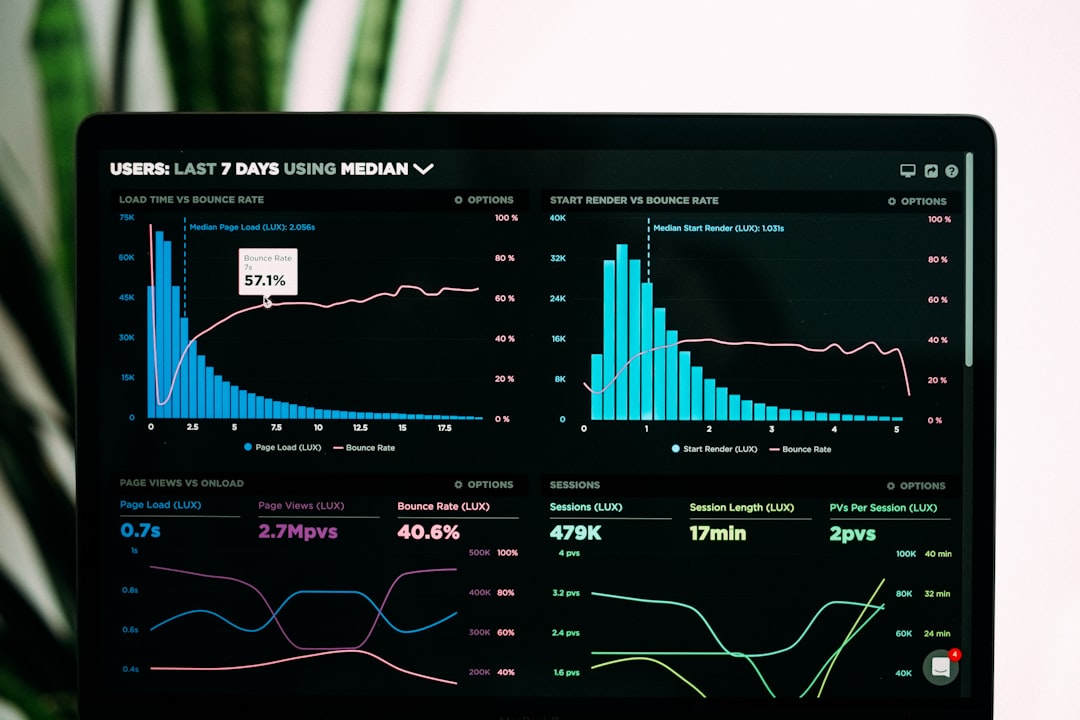
MinervaTS is a relatively new entry, focused heavily on usability and rapid insights. Built primarily for economists in the public sector, it’s essentially a portable dashboard application (weighing under 30MB) that lets users upload time-series data and instantly get ARIMA, ETS, or Holt-Winters forecasts without any coding.
The UI is deliberately clean: simply drag-and-drop your CSV, select a forecast model type, choose the desired horizon (e.g., 6 months, 12 quarters), and click generate. MinervaTS then displays line plots with forecast overlays and confidence bounds.
What stands out is its “Model Blending” option where users can combine ETS and ARIMA either equally or based on in-sample accuracy scores.

Ideal for small offices or mobile economists needing a forecasting app that runs direct from a USB stick—no installation required.
4. TS Explore by EconData – For Point-and-Click Econometric Modeling
TS Explore is a niche tool gaining popularity for its extreme simplicity and high forecasting accuracy. Developed by EconData Labs, it’s specifically targeted at policy professionals and academic researchers who need high-speed point-and-click analysis of time-series structures.
The application supports:
- Basic decompositions (trend, seasonality, cyclic)
- Exponentially weighted moving averages
- Short-run forecast generation with auto-fitting ARIMA or Prophet backends
Upon importing a dataset, TS Explore auto-detects common date formats and suggests frequency transformations when needed (e.g., from monthly to quarterly). It then provides model summaries and forecasts with labeled anomaly flags—very useful for identifying outliers in CPI or retail sales data.
What makes TS Explore appealing is that it also provides a “story mode” output: a brief textual summary in plain English describing the forecast trends and confidence around them, making it accessible to stakeholders without statistical backgrounds.
Final Thoughts
When economists and policy analysts need forecasting answers quickly, full-scale modeling platforms can be overkill. These compact time-series tools offer focused solutions for time-sensitive scenarios. Whether working through inflation figures before a central bank meeting or reviewing trade volume projections, these four options provide both speed and reasonable accuracy, proving that powerful tools don’t always require massive infrastructure.
Frequently Asked Questions (FAQ)
- Q: Are these tools free to use?
- A: Most of them are free or open-source. TS Explore may have a limited trial version, while MinervaTS is donation-supported.
- Q: Can beginners use these tools without training?
- A: Yes. All four tools featured here are designed for intuitive use. Minimal or no coding is required, and basic time-series knowledge is sufficient.
- Q: Which tool is best for ARIMA modeling?
- A: Gretl and MinervaTS both excel in ARIMA modeling. Gretl is more academically rigorous, while MinervaTS is better for visual exploration.
- Q: Do these tools work offline?
- A: Yes. All four tools are either fully offline or have offline-capable versions, making them suitable for travel or secure environments.
- Q: Can I export the graphs and forecasts?
- A: Absolutely. These applications provide export functionality for both visuals and data, allowing easy integration into reports or slides.